
Background
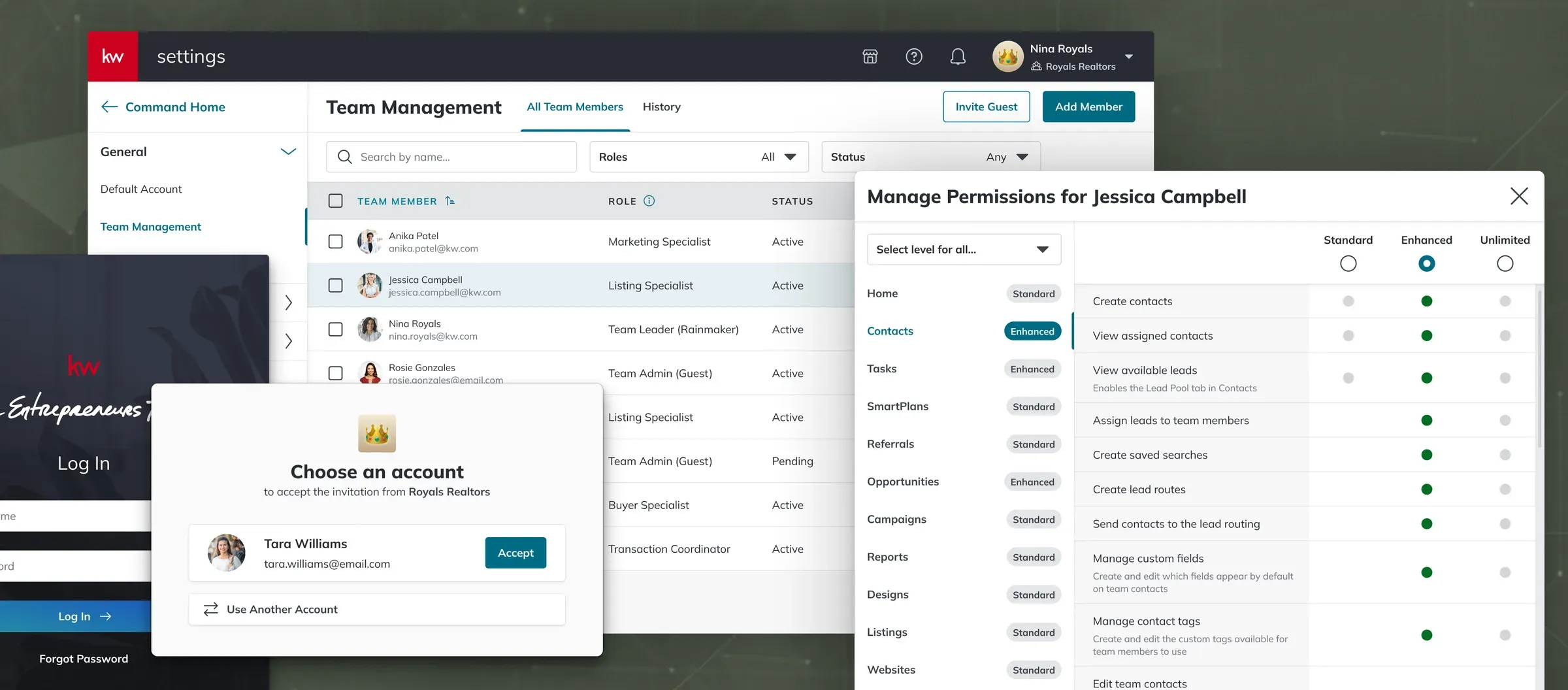
Originally built for individual agents, Command first introduced support for teams in 2021. The effort was scaled back, leaving only a handful of apps on the new architecture. The partial implementation meant that Team users were kicked out of their team context as they navigated around Command. Workflows that spanned apps broke down, and the UX team documented these pain points for years.
Solo users had a separate problem: they had no way to invite guests, so they shared their logins with assistants. In 2023, a major data breach was linked back to this credential sharing. A security initiative called PORT (Permissions, Orgs, Roles and Teams) became a priority across 10+ product teams, with me as UX lead.
Strategy
The quickest path forward would be to add guest access to Solo accounts, though it’d create new issues due to the split architecture. Our team advocated for a slower option that solved the underlying problem: complete the adoption of team architecture across all Command apps and then migrate all Solo users to their own Team accounts.
With a team of engineering leads, I designed a POC that showed how a unified, multi-tenant architecture would solve the security problem and also support revenue work that leadership already wanted: expansion teams, per-seat licensing, and white-label partnerships. We earned approval from business stakeholders and settled on a phased 18-month roadmap.
Designing the migration
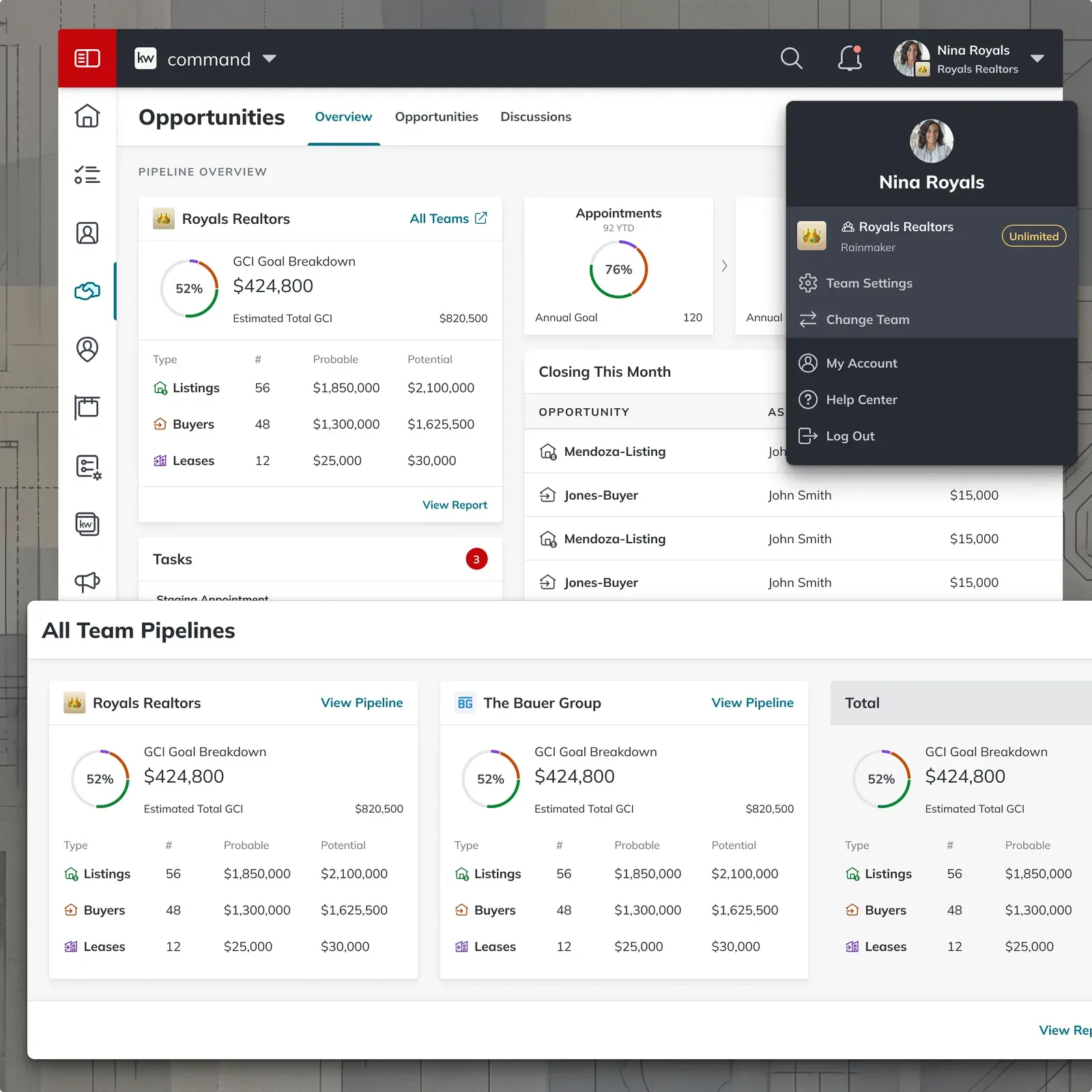
Priority #1 was moving every Solo account to the Team experience. The risk was “feature shock”: forcing a Team-centric UX on users who didn’t have teammates.
I audited every flow for severity. Anything a Solo user couldn’t answer was flagged as a blocker. Lower-risk items (copy variants, optional fields) were validated with current users and treated as standard CRM expectations.
Adaptive Lead Routing: Rather than forcing Team-level routing logic on Solo agents, I redesigned the flow to read roster counts and user preferences, conditionally surfacing routing steps only when they added value.
Secure Onboarding: The original flow had Team Admins set passwords for their guests, which was credential sharing by another name. I redesigned it so guests create their own credentials, which also let assistants who support several teams use one login.
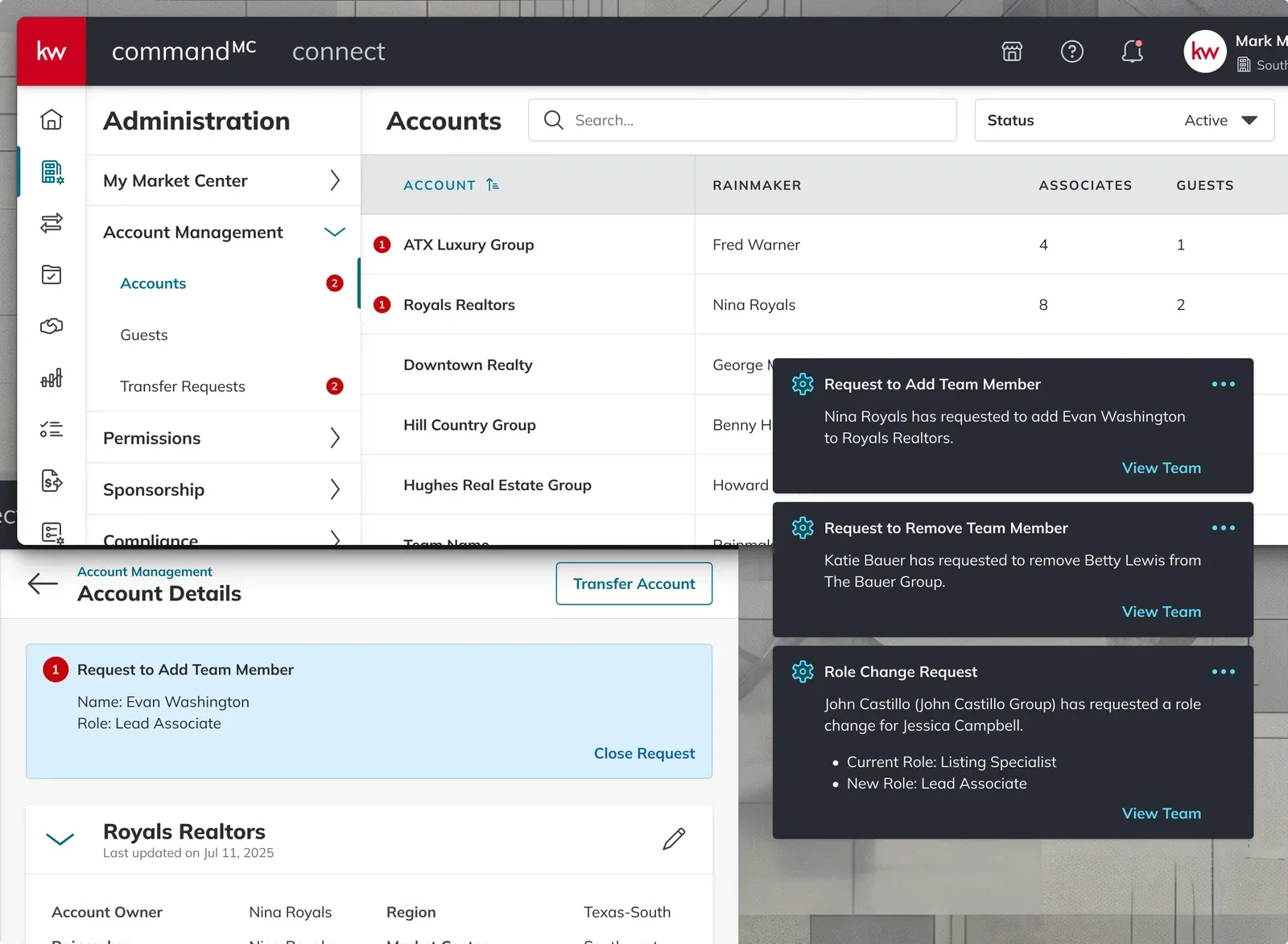
Infrastructure Alerting: Walking the invite flow with test accounts on both sides, I found that neither agents nor Market Center (MC) staff were notified when invitations needed approval. I designed alerts for MC staff in the admin dashboard and toasts for each request.
Permissions and design governance
The center of PORT was the Team Management page, where users managed their roster and members’ permissions for the apps that supported them. As part of this initiative we needed to provide the ability to assign permissions to each application individually. The original permissions UI was a read-only reference table that I redesigned into a modal editor with per-app controls, bulk editing, and indicators where permissions overlapped or depended on another app.
The PORT developers built the new modal as a template and other teams supplied their apps’ permissions. My role shifted to advising teams how to present those permissions to users, through kickoffs, documentation, and design reviews. Two frameworks did most of that work:
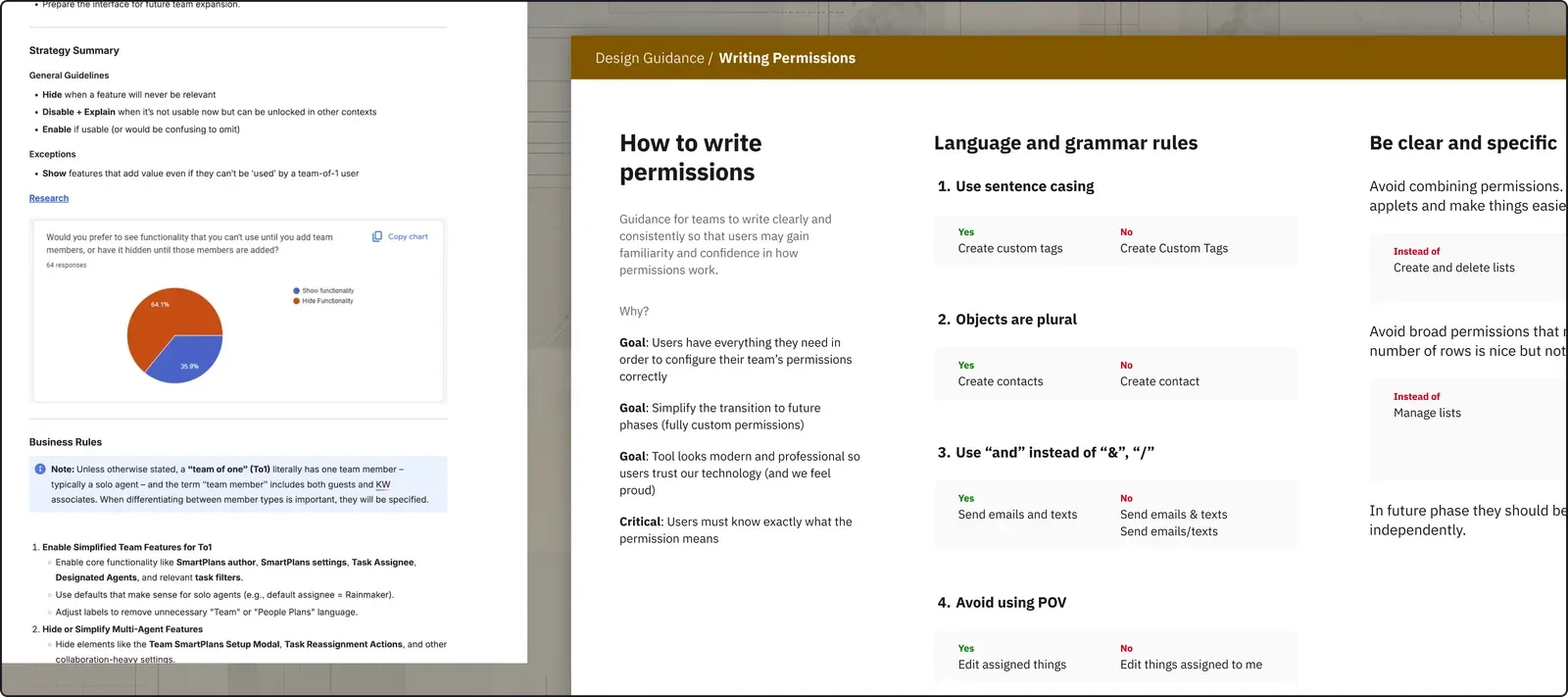
The Disabled-vs-Hidden Framework: Teams kept asking whether to hide or disable a restricted action, so I wrote one rule for all of them. If a user can never take an action, hide it. If they can take it sometimes but not on this object, show it disabled with an explanation.
Permission Copywriting Guidelines: Teams described the same permission in different words (“Edit Contacts” vs. “Update contact info”) which made it difficult for users to scan. I defined rules for grammar and copywriting so every app followed a consistent structure.
The company later loaded both documents into its internal AI tooling, so future teams would get the same guidance.
Lessons learned
Command’s apps were now implemented consistently, but alignment faltered during the integration of CommandMC, the platform used by our market center staff. The CommandMC team, in an effort to provide more granular customization, introduced “feature groups” for their permissions. This was well-intentioned but created a disconnect between the two platforms.
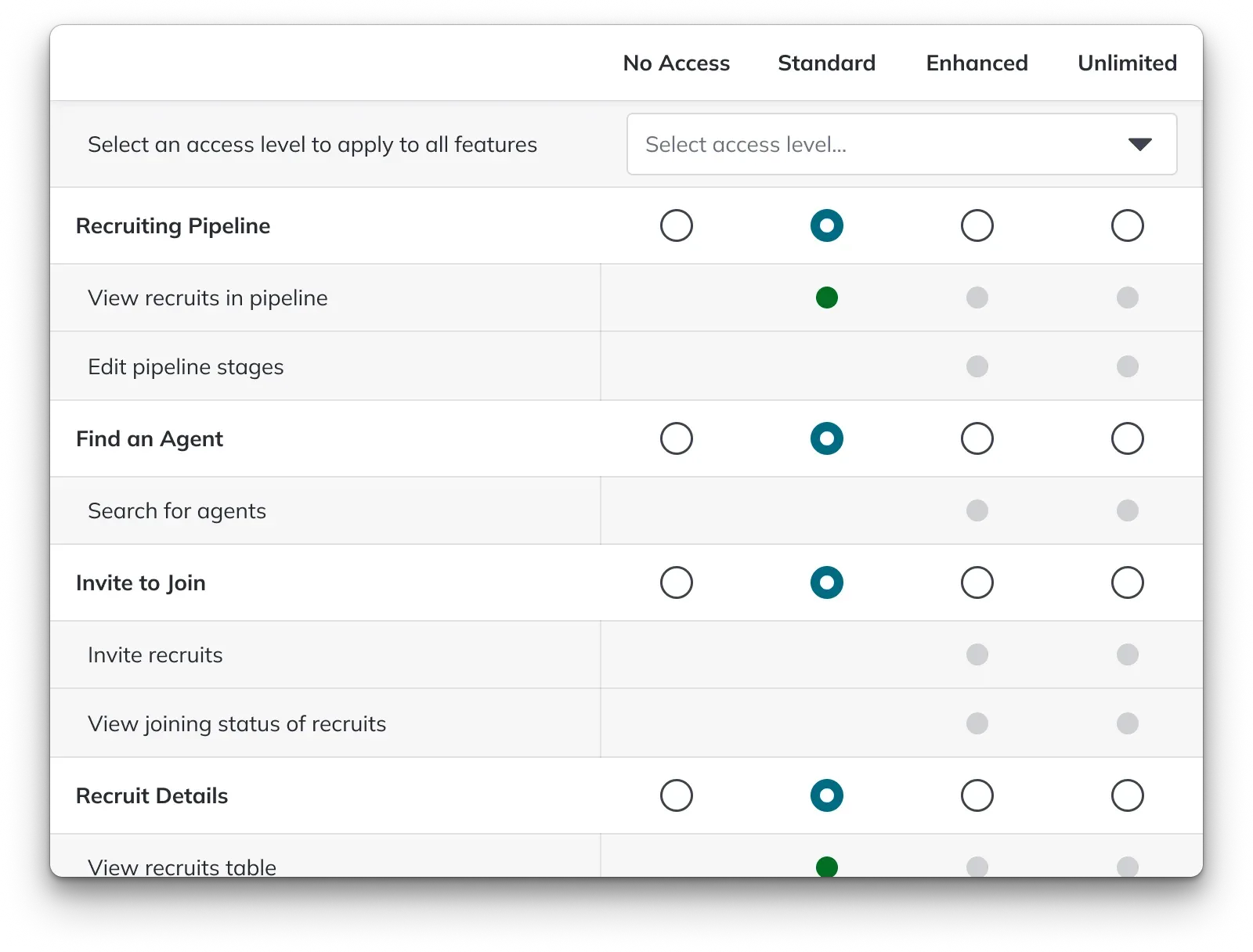
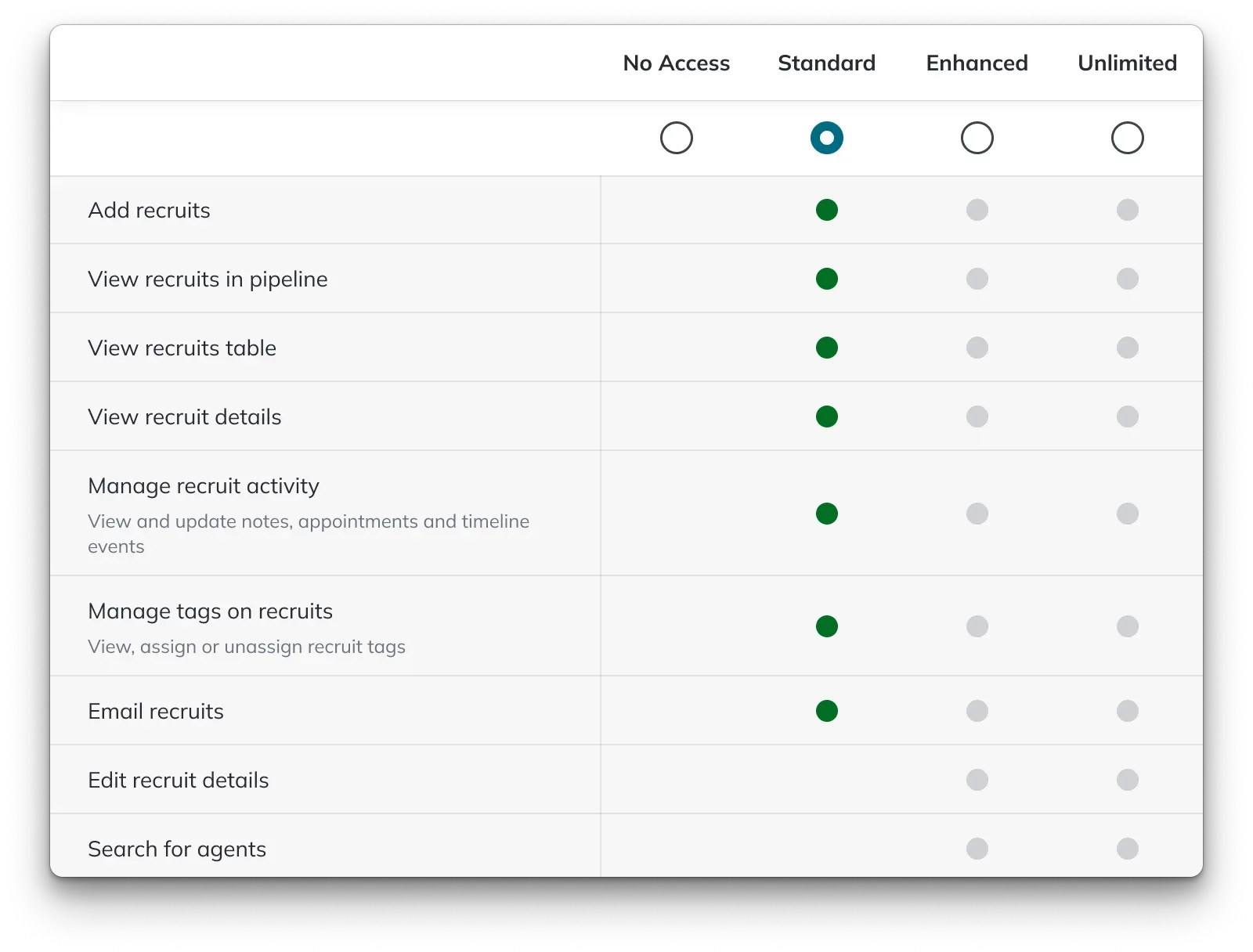
Feedback from initial Beta tests showed that feature groups added cognitive load without functional benefit, disorienting users who moved between Command and CommandMC environments. While I advocated for a rollback to platform-wide alignment, the product teams wanted to stick to what they’d built.
I left the company before the final decision. What I took from it: treat cross-platform dependencies as structural risks when the build starts, and escalate them to leadership right away instead of saving them for cleanup.
Outcomes
- 178k
- users migrated to the Team model
- 10+
- product teams shipping against one permission model
What shipped:
- Every application migrated to the Team model and supported custom permissions
- The architecture removed the long-standing blocker on revenue initiatives
Solo agents in our user advocate panels were glad to finally bring their assistants in legitimately. Team users got one consistent platform, no longer forced to switch contexts across apps.
The project was recognized as a top-tier cross-team initiative, and my governance frameworks established the operational standard for platform design at the company.