The Command Filter System
Keller Williams, Command
Role: Lead UX Designer
Following the initial launch of the Contacts application, user feedback indicated a clear need for enhanced search and filter capabilities. Agents required action-oriented views of their database, but the existing filter drawer relied on a patchwork of legacy components that were not built to support advanced rule-building.
When advanced filters became a priority, my PM and I took the opportunity to modernize the entire filtering architecture. With our development team ready to build and our new XDS design system primitives recently published, we had a window to replace the legacy filters with a modern, platform-wide standard.
This study outlines how I defined and designed the filter patterns and components in coordination with the XDS design system.
Designing advanced filters
Strategy: The Advanced Logic Model
My goal was to provide access to advanced logic without overcomplicating the basic filtering experience. After benchmarking against other real-estate CRMs and modern enterprise applications, I evaluated three primary approaches:
Mode-Based
Advanced filtering as a distinct mode, separate from the basic drawer. One or the other.Integrated
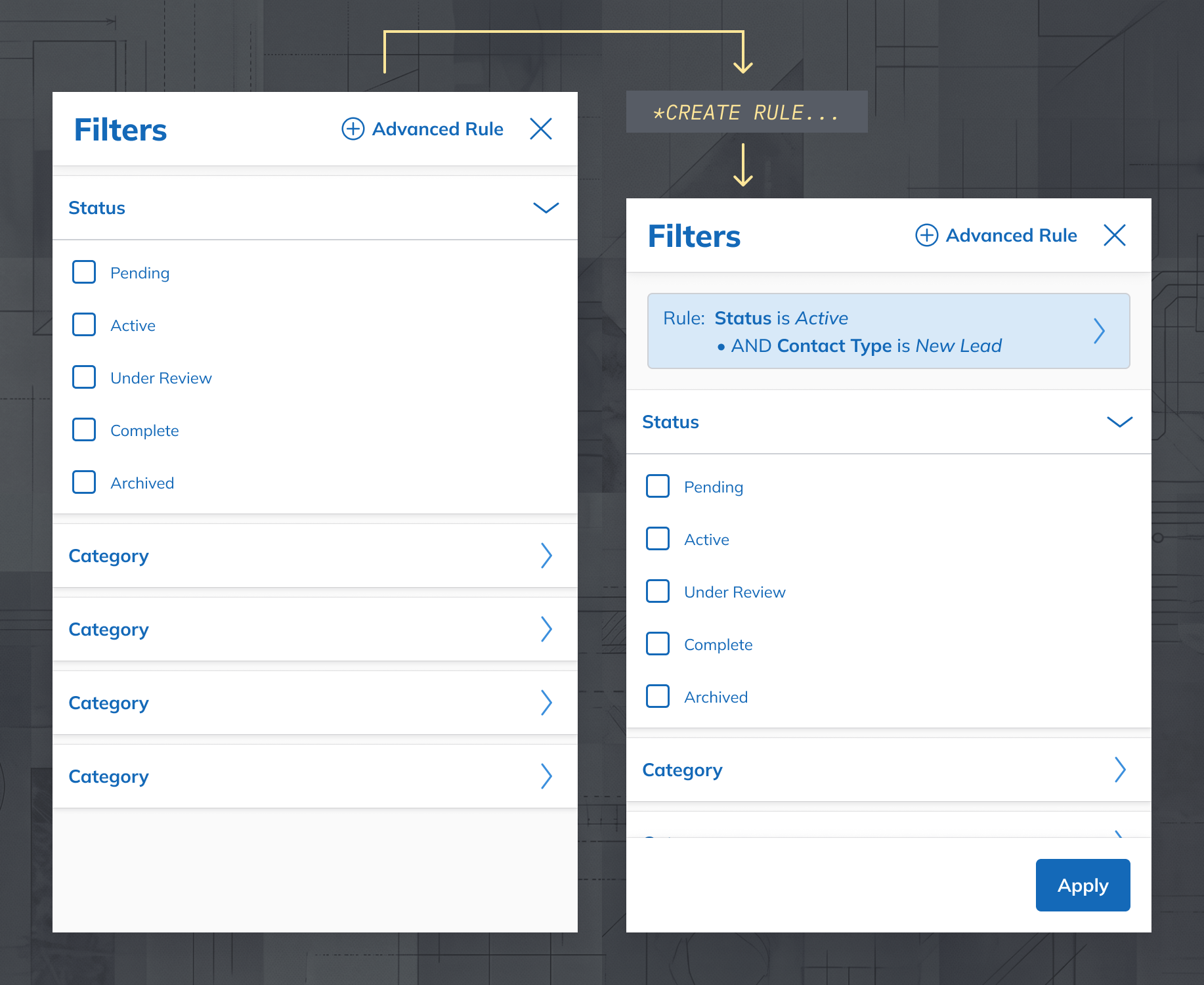
Users create advanced rules from within the basic drawer. Assumes simultaneous application.Unified
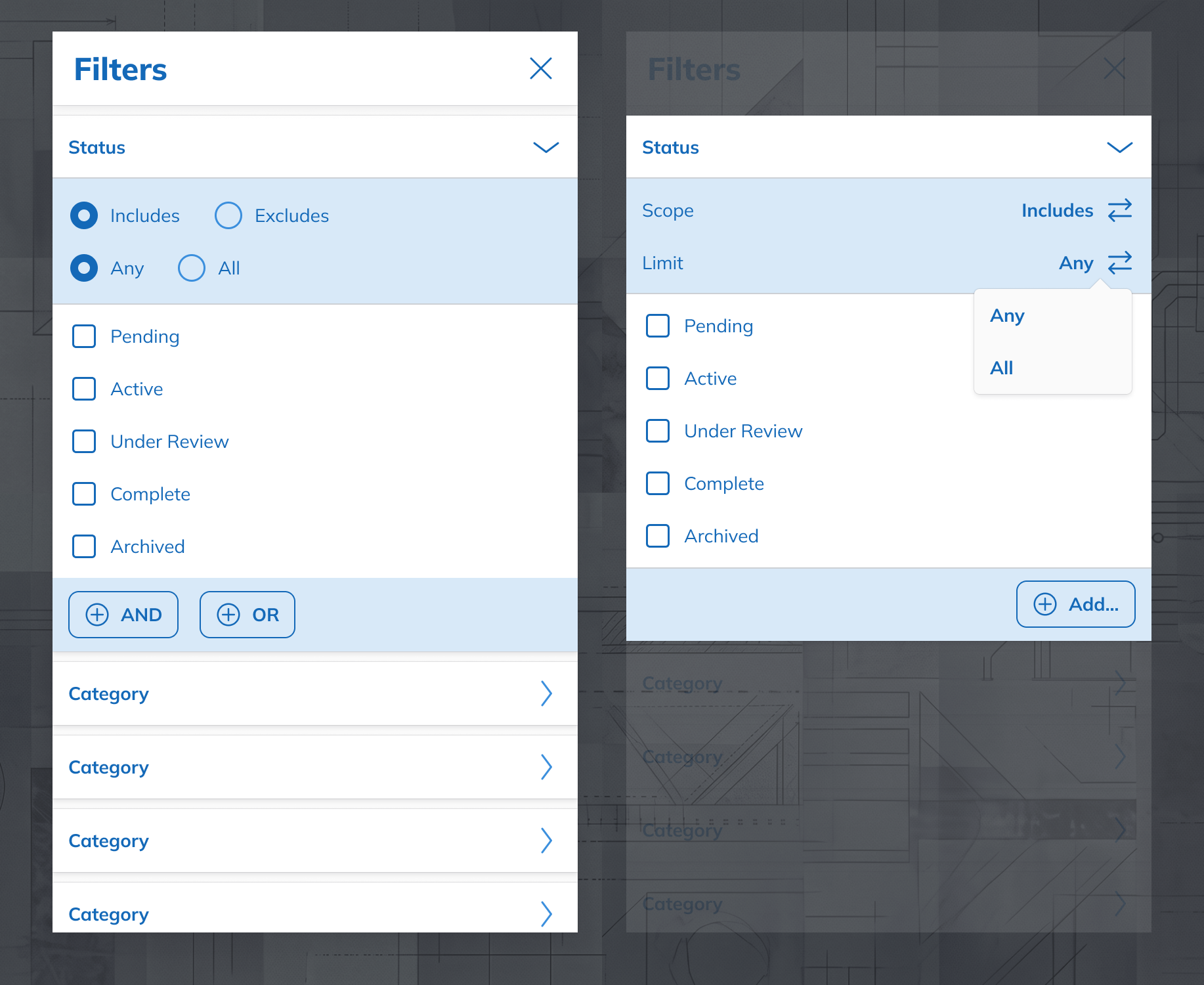
Filters always offer advanced options. Basic logic chosen by default.While the Integrated and Unified options offered more visibility, they risked burdening users who only required basic functionality. I recommended the Mode-Based approach. It was the least disruptive path and allowed us to ship a standalone basic filters experience across the platform. We could build into the other approaches later if needed. My PM and the XDS lead agreed, and we proceeded with basic and advanced modes.
Usability: Translating Complexity
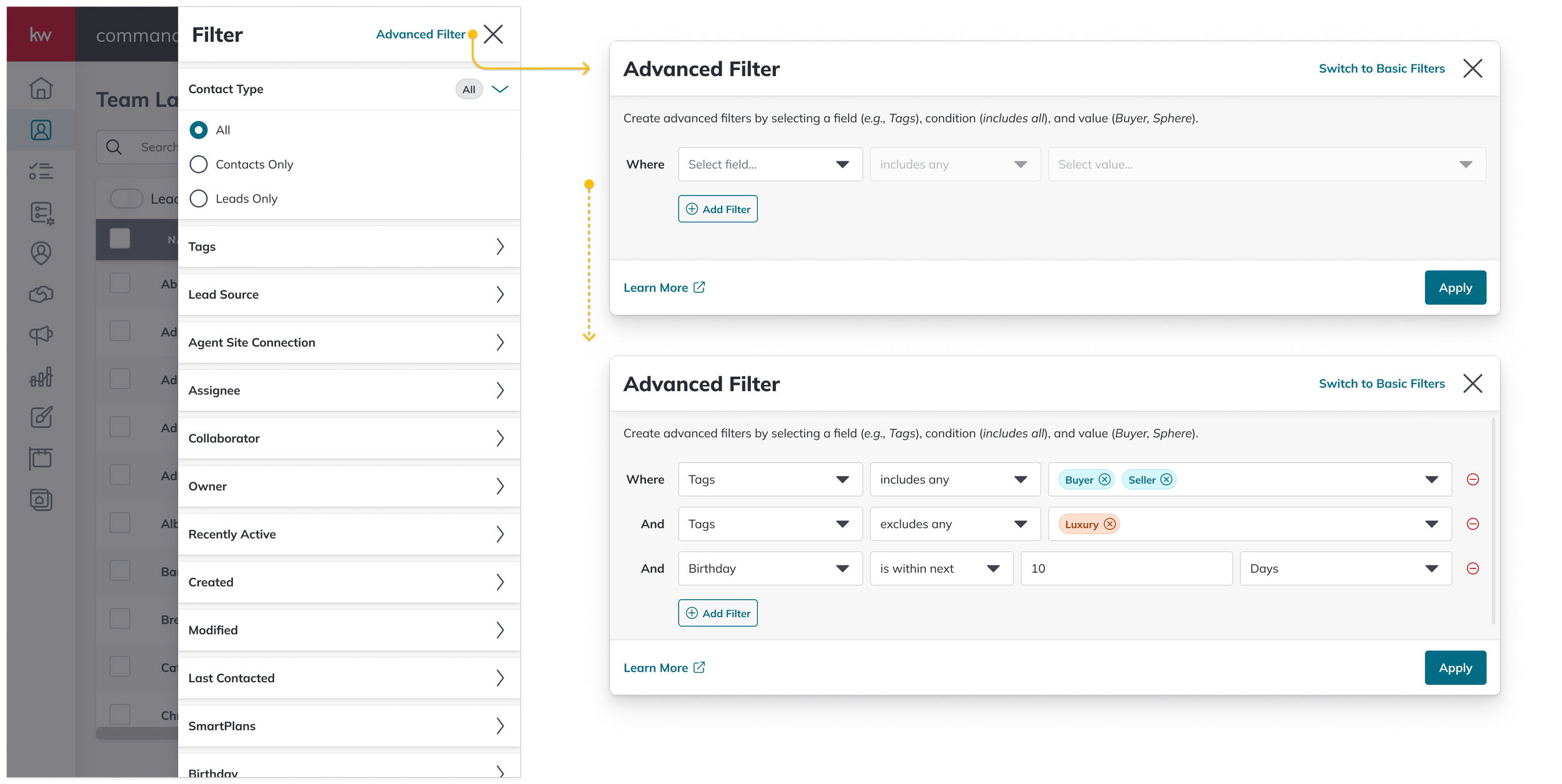
Another core design challenge was aligning advanced logic functionality with user mental models. While KW agents had clear use cases for advanced filtering, they (generally) did not operate in code. Early research showed our agents preferred when filters read as natural language.
I opted for a design that allowed the user to construct rules by filling in sentences. I defined the conditional options for every type filter in the Contacts application—from date-based logic (within last/next) to multi-select groupings (includes any, includes all). I maintained comprehensive documentation for reference in stakeholder reviews and as product requirements. This specification aligned the interface with user mental models and eliminated ambiguity for the team during implementation.
I used local Figma components to keep all designs and documentation accurate as we received feedback and updated copy.Evidence-Based Layout
The layout debate centered on a desktop-oriented wide view versus a mobile-first approach. While our XDS lead advocated for a mobile-first strategy, I held the line on the desktop layout based on clear functional evidence.
The filter requirements relied on reading full, natural-language sentences. A horizontal layout aligned with the reading model established by our operator logic, and a wide layout preserved the vertical space necessary to stack three or four complex rules without forcing excessive scrolling. I acknowledged the broader platform strategy of the XDS team, but I advocated for the wider layout for this specific feature.

Building the system
Component & Pattern Documentation
While designs for the advanced filters were refined, the Contacts team started building the basic filter components. Beyond delivering filters for Contacts, we committed to creating a component library that other Command teams could use in their applications.
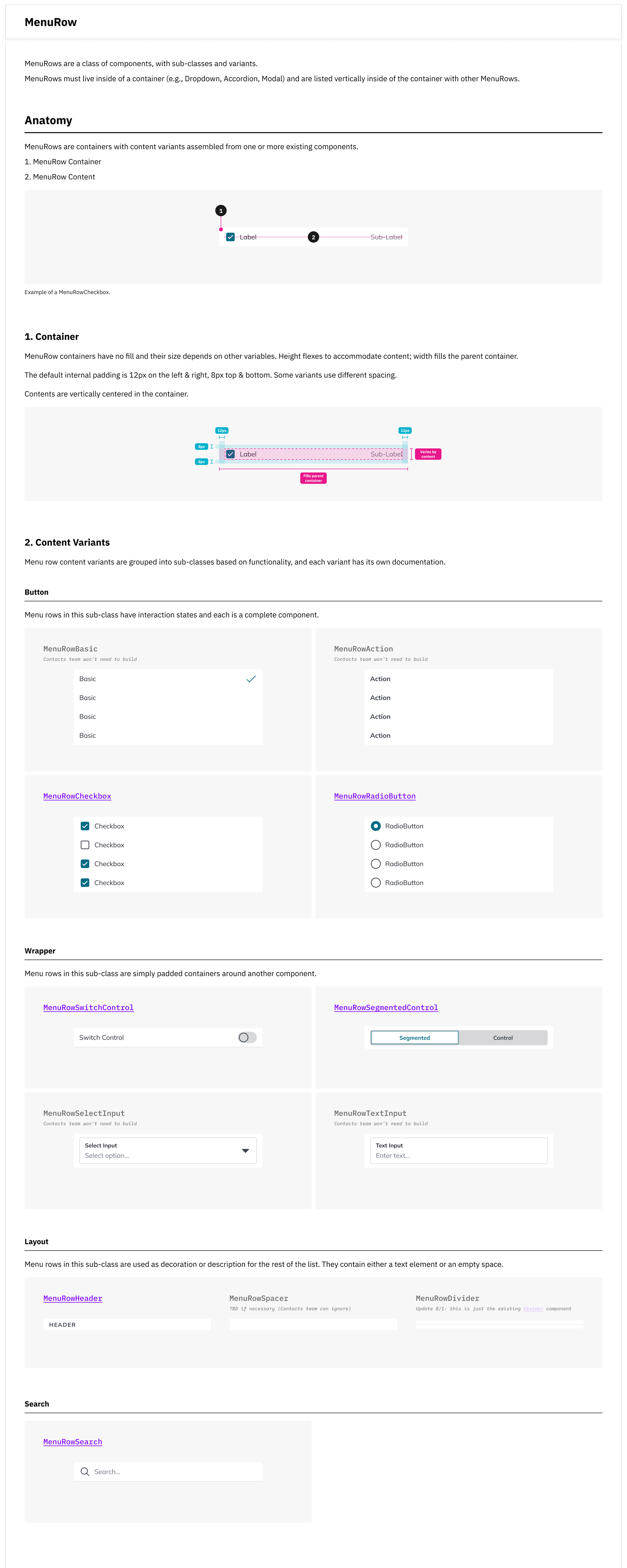
I organized the basic filtering UI into its building blocks and documented requirements for over 15 components, including interaction specs and design rationale. Examples below:






A note on collaboration
To be clear: the XDS team and I were partners throughout this project. They provided the Level-1 primitives (Bars, Buttons, Chips, Checkboxes, etc.) and the higher-level shell components like the DrawerModal.
I owned the FilterPanel components and their contents, including MenuRows and a Select Input, and defined the behaviors and interaction patterns. I also led the requirements audit across 14 of Command’s filter implementations, all design documentation, and the front-end requirements for the Contacts team.
Contacts Filters
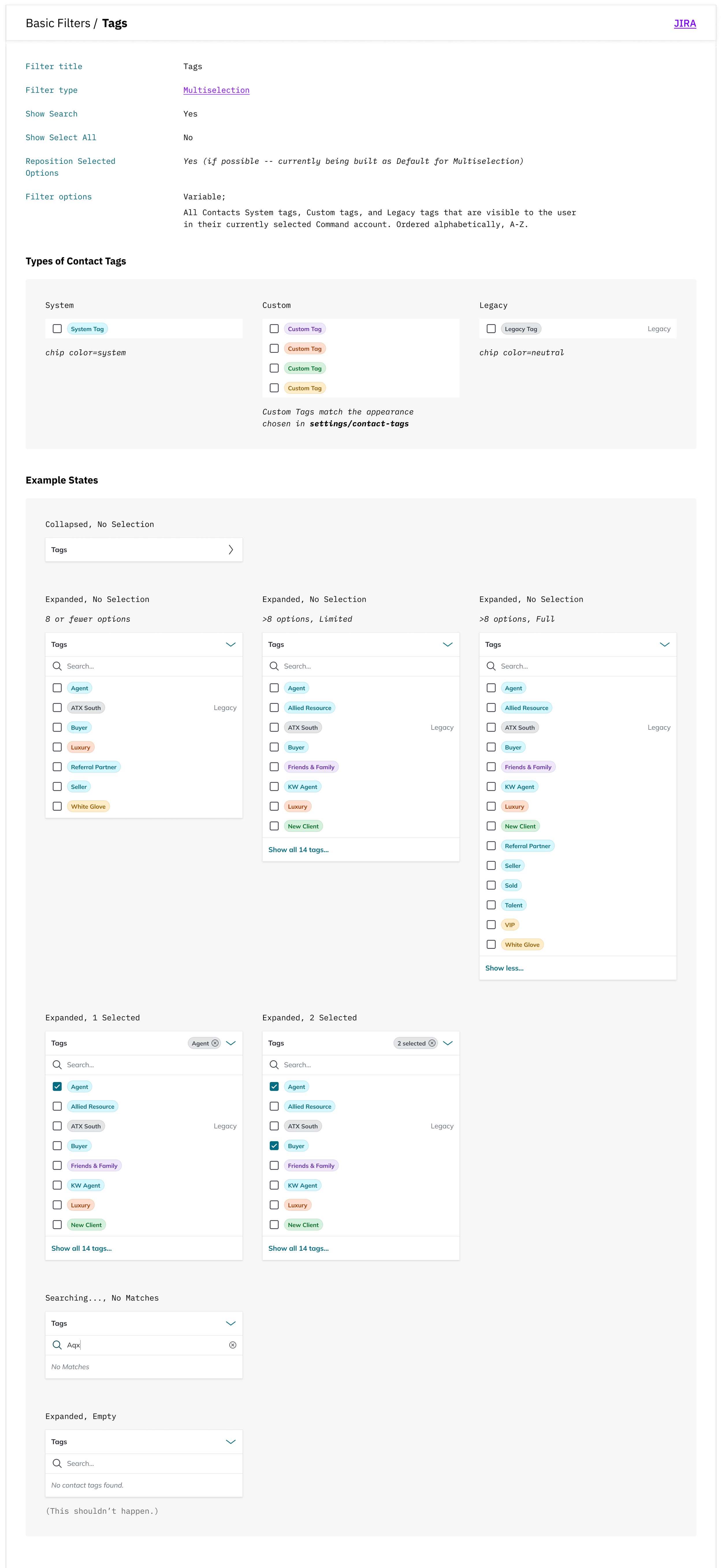
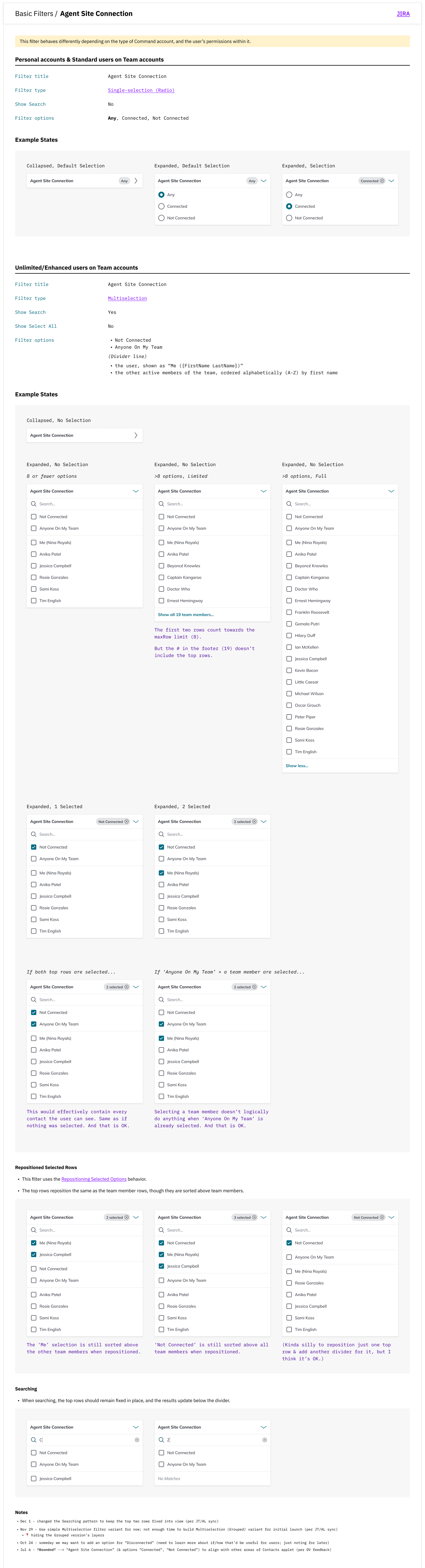
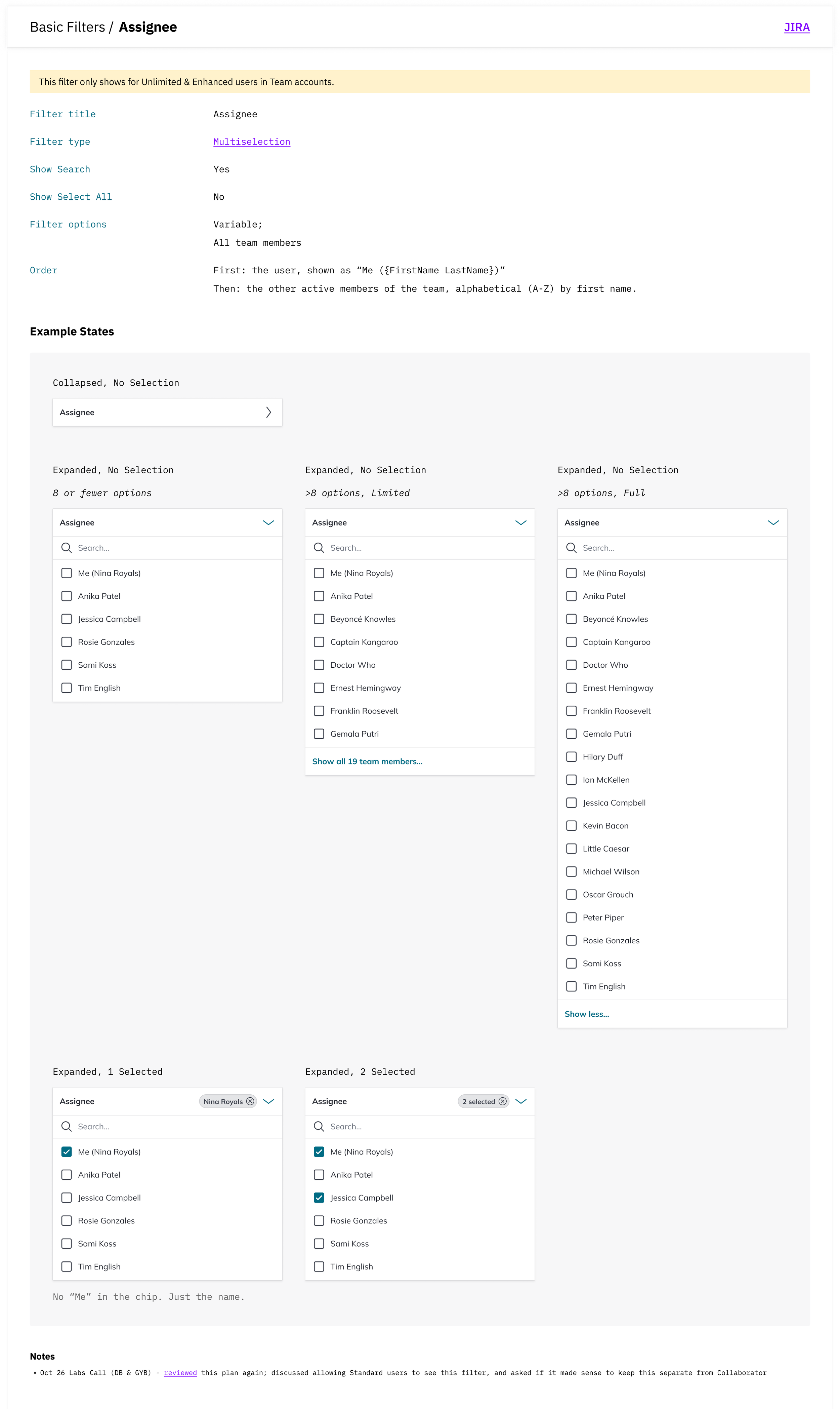
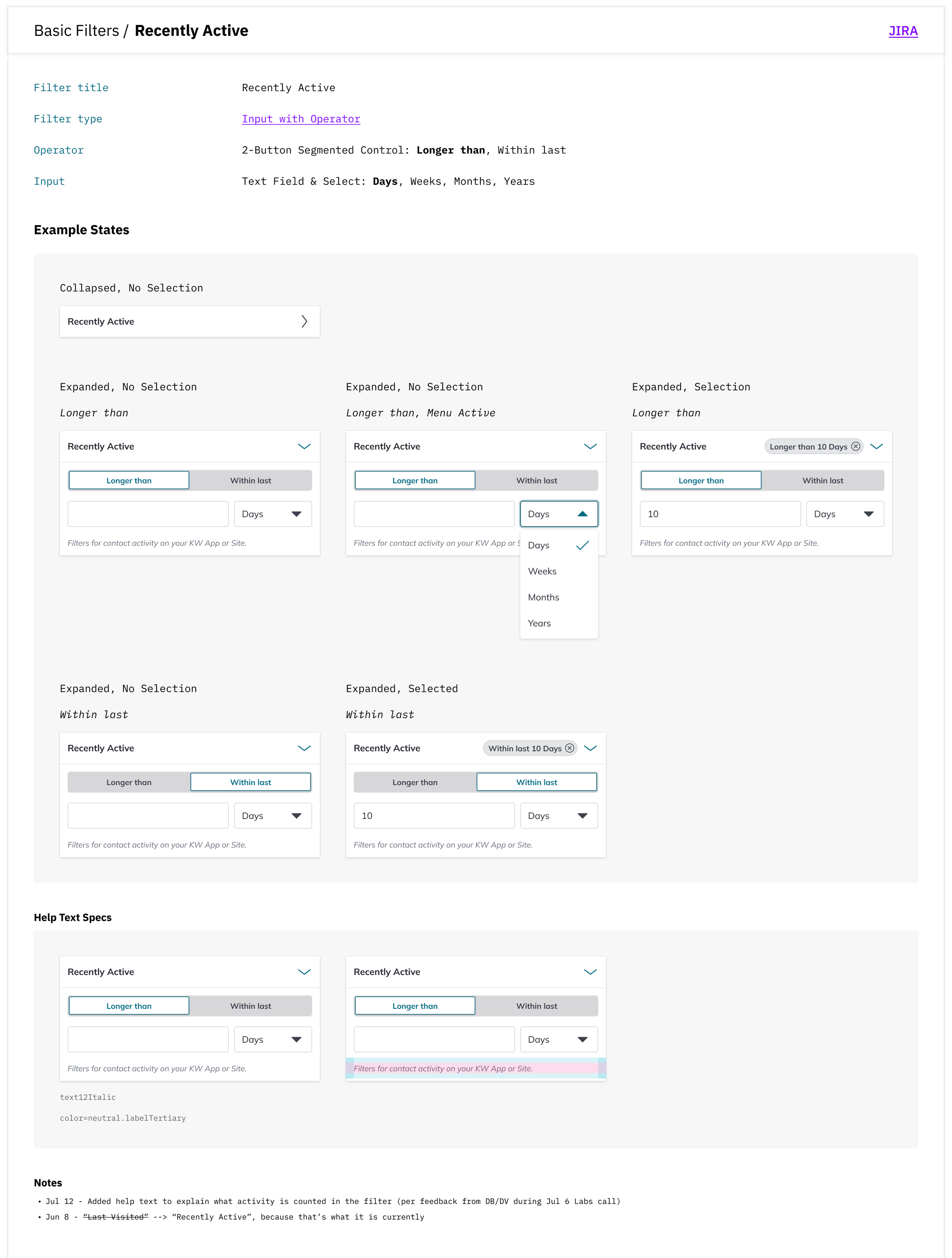
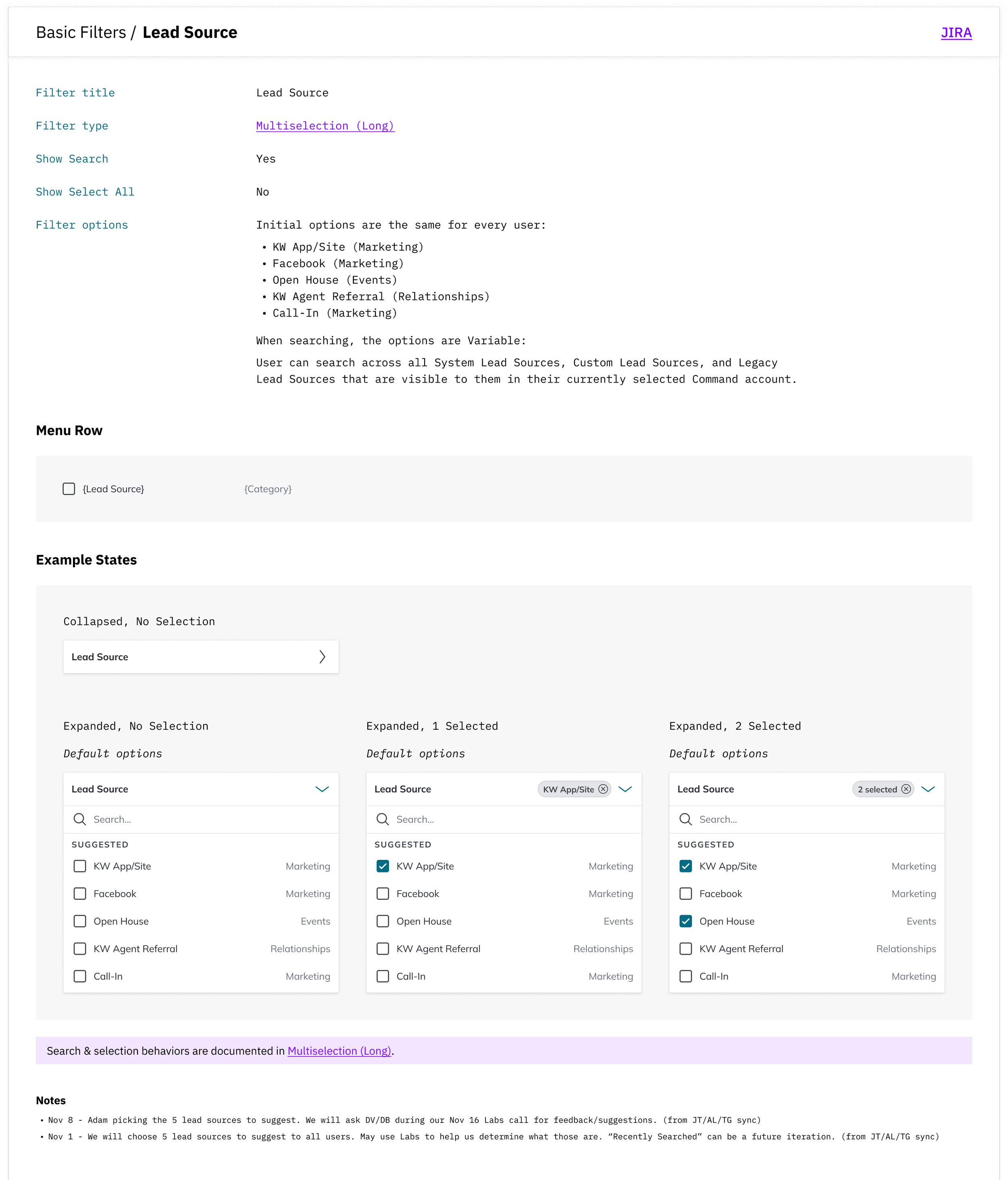
Once the general components were in place, we used those to build the Contacts filters. I provided an additional 22 pages of requirements documentation for each basic filter and the full advanced UI. Examples below:

System Impact
The new Contacts filter experience successfully launched with 90% user satisfaction, but the true impact was the pattern’s adoption across the platform.
We built the components in a separate Storybook while the XDS team gained the capacity to integrate them. Product teams pulled from the Contacts repo for two years before it became an official standard. By the time XDS officially migrated these components into the library, they were already well-established across Command.